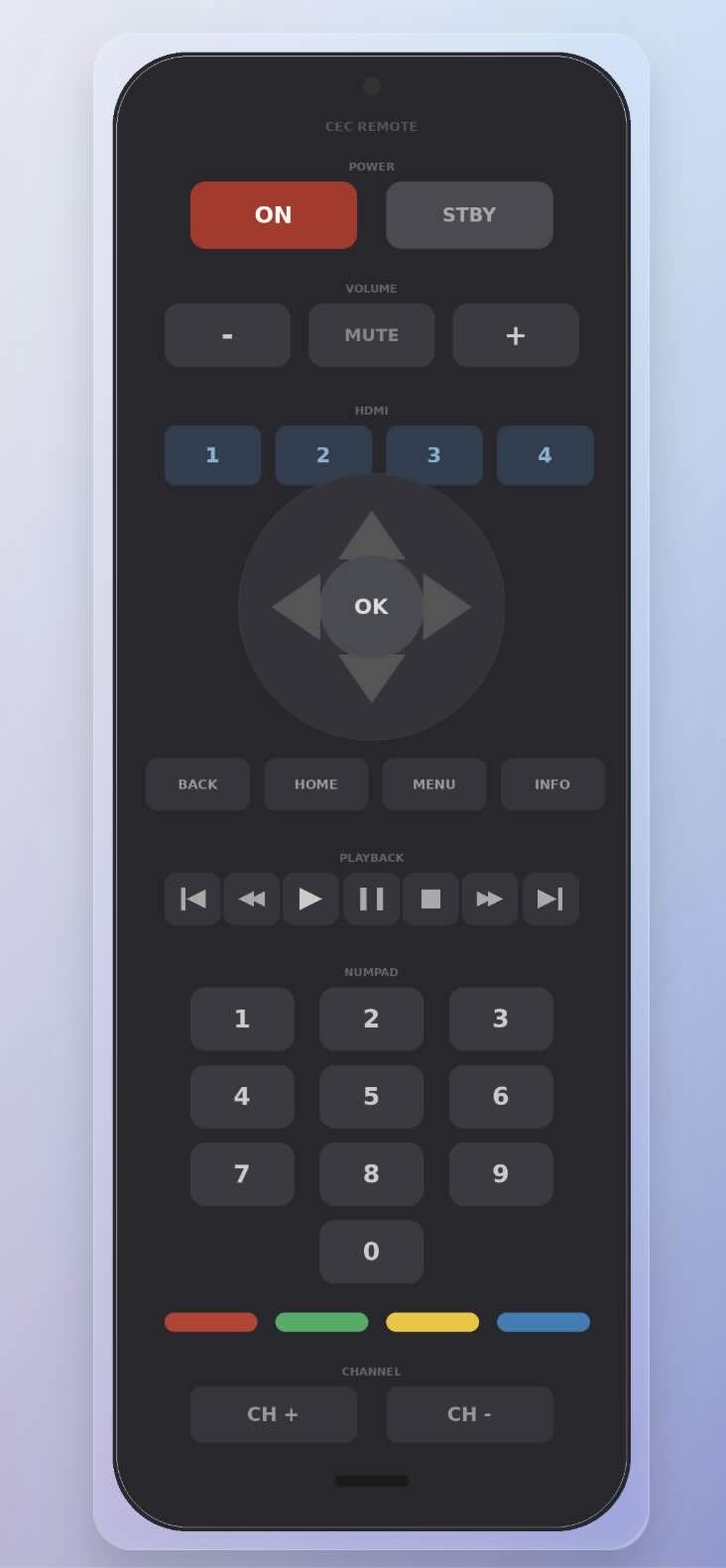
SLWF-08 HDMI-CEC controller for ESPHome and Home Assistant

Aus aktuellem Anlass wollte ich noch mal diese alternative Möglichkeit zum Steuern von HDMI Geräten hinweisen !

Wer seinen TV in Home Assistant einbinden möchte, ohne große Umbaumaßnahmen, dem möchte ich den SMLIGHT SLWF-08 vorstellen.

Das Gerät ist ein kleiner Stick, der einfach in einen freien HDMI-Port am TV gesteckt wird. Über die sogenannte CEC-Leitung – die in jedem HDMI-Kabel steckt – kann er dann Befehle senden und empfangen. Die meisten Hersteller kennen diese Funktion unter eigenem Namen: Samsung nennt es Anynet+, LG SimpLink, Sony Bravia Sync, Philips EasyLink – dahinter steckt aber immer dasselbe Prinzip.

Der Stick verbindet sich per WLAN mit dem Heimnetzwerk und taucht dann automatisch in Home Assistant auf. Von dort aus lässt sich der TV ganz normal steuern: Ein- und Ausschalten, Lautstärke, Eingang wechseln, Navigation – alles per Automatisierung oder Dashboard.

Das Besondere: Anders als App-basierte Lösungen funktioniert CEC auch wenn der TV aus ist – der Stick kann ihn aus dem Standby aufwecken.

Kosten: ca. 13€ Voraussetzung: TV muss CEC unterstützen (bei fast allen Geräten ab 2010 der Fall) und die Funktion im TV-Menü aktiviert sein.


:light_bulb: Für alle, die ihren TV einfach und günstig in die Heimautomatisierung einbinden wollen – ein klare Empfehlung!

Was alles geht, kleines Beispiel!

Nachtrag:

Mittlerweile gibt es ein kleines Projekt dazu →
HDMI-CEC-Gateway-with-SMLIGHT-SLWF-08-for-HomeAssistant

9 „Gefällt mir“

Interessanter Ansatz CEC können heute ja sie meisten TV!
Ich habe das bei mir so gelöst, dass ich mir die WebUI in HA geholt habe und über dort es steuern kann!

Mein Stick ist heute angekommen. Einen kurzen Probelauf habe ich bereits gemacht. Im Gehäuse des Sticks befindet sich eine leichte Delle, deswegen war mir ein grundlegender Funktionstest wichtig. Im Netzwerk ist der Stick, aber HA hat ihn nicht erkannt. Im Webinterface konnte ich den Fernseher ausschalten, mehr war nicht möglich. Allerdings hat der Stick verhindert, dass sich die Lautstärke des AV-Receivers verstellen ließ. Da der Fernseher zu dem Zeitpunkt aber in Benutzung war, habe ich meinen ersten Versuch abgebrochen.
Das wird wahrscheinlich eine Aufgabe für morgen Vormittag. Hast irgendwelche Ratschläge wie ich Fallstricke umgehen kann?

Orginal ist da ja nichts weiter drauf! An/Aus/Laut/Leise/Mute oder so!?
Da ging bei mir nur „Ausschalten“!

Ich habe mir ne eigene angepasste (speziell für Philips) Firmware dazu gebaut. Sollte aber kein Problem sein. Was für ein TV hast du?

Einen Samsung mit TizenOS 2111. Also eigentlich ein recht neues Allerwelts Modell

Genau, wirklich nur Basics. Ich denke als erstes muss ich den Stick zu ESPhome hinzufügen und dafür sorgen das er nicht die Bedienung stört, wenn ich nicht gerade versuche das Ding zum laufen zu bekommen.

Hab mal meinen Code per “KI” an Samsung anpassen lassen, eventuell hat er es ja nicht komplett versaut! :wink:

substitutions:
  name: "hdmi-control-samsung"
  friendly_name: "HDMI Control - Samsung"
  project_name: "SMLIGHT.SLWF-08-HDMI"
  project_version: "1.2-Samsung"

esphome:
  name: "${name}"
  friendly_name: "${friendly_name}"
  name_add_mac_suffix: true
  project:
    name: "${project_name}"
    version: "${project_version}"

esp8266:
  board: esp12e

wifi:
  ssid: !secret wifi_ssid
  password: !secret wifi_password
  ap:
    ssid: "HDMI-AP"
    password: "slwf0800"

captive_portal:

api:
  services:
    - service: hdmi_cec_send
      variables:
        cec_destination: int
        cec_data: int[]
      then:
        - hdmi_cec.send:
            destination: !lambda "return static_cast<unsigned char>(cec_destination);"
            data: !lambda |-
              std::vector<unsigned char> charVector;
              for (int i : cec_data) {
                charVector.push_back(static_cast<unsigned char>(i));
              }
              return charVector;

ota:
  - platform: esphome

web_server:
  port: 80

logger:

external_components:
  - source: github://Palakis/esphome-hdmi-cec

dashboard_import:
  package_import_url: github://smlight-tech/slwf-08/esphome-configs/slwf-08-Palakis.yaml

# ---------------------------------------------------------------------------
# HDMI-CEC Konfiguration für Samsung (Anynet+, TizenOS)
# Voraussetzung: Anynet+ im TV-Menü aktivieren!
#   → Einstellungen → Allgemein → Externe Geräte-Manager → Anynet+ (HDMI-CEC)
#
# Unterschiede zu Philips (EasyLink):
#   - Lautstärke per Broadcast (0xF) statt direkt an TV (0x0)
#   - Kein ARC-Handler (0xC3) nötig
#   - Kein Audio-Status-Handler (0x71) nötig
# ---------------------------------------------------------------------------
hdmi_cec:
  pin: GPIO14
  address: 0x04           # 0x04 = Playback Device
  physical_address: 0x3000  # Anpassen je nach HDMI-Port! (0x1000=HDMI1, 0x2000=HDMI2, etc.)
  osd_name: "SLWF-08-HDMI"
  promiscuous_mode: true  # Alle CEC-Nachrichten mithören - wichtig!
  monitor_mode: false
  on_message:
    # --- Standby empfangen ---
    - opcode: 0x36
      then:
        logger.log: "TV geht in Standby"

    # --- Give Physical Address beantworten ---
    - opcode: 0x83
      then:
        - if:
            condition:
              lambda: 'return destination == 0x04 || destination == 0x0F;'
            then:
              - hdmi_cec.send:
                  destination: 0x0F
                  data: [0x84, 0x30, 0x00, 0x04]
                  # 0x84 = Report Physical Address
                  # 0x30, 0x00 = physische Adresse 3.0.0.0 (= 0x3000)
                  # 0x04 = Gerätetyp Playback Device

    # --- Device Vendor ID melden ---
    - opcode: 0x8C
      source: 0x0   # nur vom TV
      then:
        - hdmi_cec.send:
            destination: 0x0F
            data: [0x87, 0x00, 0x00, 0x00]
            # 0x87 = Device Vendor ID
            # 0x00, 0x00, 0x00 = Generic

    # --- OSD Name melden ---
    - opcode: 0x46
      then:
        - hdmi_cec.send:
            destination: !lambda return source;
            data: [0x47, 0x53, 0x4C, 0x57, 0x46, 0x2D, 0x30, 0x38]
            # 0x47 = Set OSD Name
            # Rest = ASCII "SLWF-08"

    # --- TV eingeschaltet ---
    - opcode: 0x04
      then:
        logger.log: "TV wurde eingeschaltet"

    # --- Menü-Request beantworten ---
    - opcode: 0x8D
      then:
        hdmi_cec.send:
          destination: !lambda return source;
          data: [0x8E, 0x01]

    # --- Power Status melden ---
    - opcode: 0x8F
      source: 0x0   # nur vom TV
      then:
        - hdmi_cec.send:
            destination: !lambda return source;
            data: [0x90, 0x00]  # 0x90 = Report Power Status, 0x00 = On

    # HINWEIS Samsung:
    #   - 0xC3 (ARC) und 0x71 (Audio Status) werden bei Samsung
    #     nicht benötigt und daher hier weggelassen.
    #   - Samsung verwaltet ARC und Audio-Status intern über Anynet+.

    # --- Alle Nachrichten als HA-Event und Sensor ---
    - then:
        - homeassistant.event:
            event: esphome.hdmi_cec
            data:
              source: !lambda 'return source;'
              destination: !lambda 'return destination;'
              opcode: !lambda 'return data.size() ? data[0] : 0;'
              translated: !lambda 'return hdmi_cec::Frame(source, destination, data).to_string();'
        - lambda: |-
            hdmi_cec::Frame frame = hdmi_cec::Frame(source, destination, data);
            id(cec_raw_message).publish_state(frame.to_string(true));
            id(cec_translated_message).publish_state(frame.to_string());

# ---------------------------------------------------------------------------
# Text-Sensoren
# ---------------------------------------------------------------------------
text_sensor:
  - platform: template
    name: "CEC Nachricht (raw)"
    id: cec_raw_message
    update_interval: never
  - platform: template
    name: "CEC Nachricht (lesbar)"
    id: cec_translated_message
    update_interval: never

# ---------------------------------------------------------------------------
# Buttons
# WICHTIG für Samsung (Anynet+):
#   - Navigations-/Wiedergabe-/Zahlentasten brauchen IMMER:
#     1. 0x44 + Tastencode  (Key Pressed)
#     2. 0x45               (Key Released)
#   - Lautstärke per BROADCAST (0xF) ← SAMSUNG-SPEZIFISCH!
#     (Philips: direkt an 0x0)
#   - HDMI-Eingang über "Active Source" Broadcast
# ---------------------------------------------------------------------------
button:

  # ==========================================================================
  # POWER
  # ==========================================================================
  - platform: template
    name: "TV einschalten"
    on_press:
      - hdmi_cec.send:
          destination: 0x0
          data: [0x04]      # Image View On → direkt an TV

  - platform: template
    name: "Alles ausschalten (Standby)"
    on_press:
      - hdmi_cec.send:
          destination: 0xF  # Broadcast
          data: [0x36]      # Standby

  # ==========================================================================
  # LAUTSTÄRKE
  # SAMSUNG-SPEZIFISCH: Broadcast (0xF) statt direkt an TV (0x0)
  # Bei Philips ist es umgekehrt!
  # ==========================================================================
  - platform: template
    name: "Lautstärke Hoch"
    on_press:
      - hdmi_cec.send:
          destination: 0xF  # SAMSUNG: Broadcast
          data: [0x44, 0x41] # Key Pressed: Volume Up
      - hdmi_cec.send:
          destination: 0xF
          data: [0x45]       # Key Released

  - platform: template
    name: "Lautstärke Runter"
    on_press:
      - hdmi_cec.send:
          destination: 0xF  # SAMSUNG: Broadcast
          data: [0x44, 0x42] # Key Pressed: Volume Down
      - hdmi_cec.send:
          destination: 0xF
          data: [0x45]       # Key Released

  - platform: template
    name: "Stummschalten"
    on_press:
      - hdmi_cec.send:
          destination: 0xF  # SAMSUNG: Broadcast
          data: [0x44, 0x43] # Key Pressed: Mute
      - hdmi_cec.send:
          destination: 0xF
          data: [0x45]       # Key Released

  # ==========================================================================
  # EINGANG / QUELLE
  # ==========================================================================
  - platform: template
    name: "HDMI 1 wählen"
    on_press:
      - hdmi_cec.send:
          destination: 0xF
          data: [0x82, 0x10, 0x00] # Active Source: HDMI 1 (0x1000)

  - platform: template
    name: "HDMI 2 wählen"
    on_press:
      - hdmi_cec.send:
          destination: 0xF
          data: [0x82, 0x20, 0x00] # Active Source: HDMI 2 (0x2000)

  - platform: template
    name: "HDMI 3 wählen"
    on_press:
      - hdmi_cec.send:
          destination: 0xF
          data: [0x82, 0x30, 0x00] # Active Source: HDMI 3 (0x3000)

  - platform: template
    name: "HDMI 4 wählen"
    on_press:
      - hdmi_cec.send:
          destination: 0xF
          data: [0x82, 0x40, 0x00] # Active Source: HDMI 4 (0x4000)

  # ==========================================================================
  # NAVIGATION
  # ==========================================================================
  - platform: template
    name: "Menü öffnen"
    on_press:
      - hdmi_cec.send:
          destination: 0x0
          data: [0x44, 0x09] # Root Menu
      - hdmi_cec.send:
          destination: 0x0
          data: [0x45]

  - platform: template
    name: "Pfeil Hoch"
    on_press:
      - hdmi_cec.send:
          destination: 0x0
          data: [0x44, 0x01]
      - hdmi_cec.send:
          destination: 0x0
          data: [0x45]

  - platform: template
    name: "Pfeil Runter"
    on_press:
      - hdmi_cec.send:
          destination: 0x0
          data: [0x44, 0x02]
      - hdmi_cec.send:
          destination: 0x0
          data: [0x45]

  - platform: template
    name: "Pfeil Links"
    on_press:
      - hdmi_cec.send:
          destination: 0x0
          data: [0x44, 0x03]
      - hdmi_cec.send:
          destination: 0x0
          data: [0x45]

  - platform: template
    name: "Pfeil Rechts"
    on_press:
      - hdmi_cec.send:
          destination: 0x0
          data: [0x44, 0x04]
      - hdmi_cec.send:
          destination: 0x0
          data: [0x45]

  - platform: template
    name: "OK / Enter"
    on_press:
      - hdmi_cec.send:
          destination: 0x0
          data: [0x44, 0x00]
      - hdmi_cec.send:
          destination: 0x0
          data: [0x45]

  - platform: template
    name: "Zurück"
    on_press:
      - hdmi_cec.send:
          destination: 0x0
          data: [0x44, 0x0D]
      - hdmi_cec.send:
          destination: 0x0
          data: [0x45]

  - platform: template
    name: "Home"
    on_press:
      - hdmi_cec.send:
          destination: 0x0
          data: [0x44, 0x10]
      - hdmi_cec.send:
          destination: 0x0
          data: [0x45]

  - platform: template
    name: "Info"
    on_press:
      - hdmi_cec.send:
          destination: 0x0
          data: [0x44, 0x35]
      - hdmi_cec.send:
          destination: 0x0
          data: [0x45]

  # ==========================================================================
  # WIEDERGABE
  # ==========================================================================
  - platform: template
    name: "Play"
    on_press:
      - hdmi_cec.send:
          destination: 0x0
          data: [0x44, 0x44]
      - hdmi_cec.send:
          destination: 0x0
          data: [0x45]

  - platform: template
    name: "Pause"
    on_press:
      - hdmi_cec.send:
          destination: 0x0
          data: [0x44, 0x46]
      - hdmi_cec.send:
          destination: 0x0
          data: [0x45]

  - platform: template
    name: "Stop"
    on_press:
      - hdmi_cec.send:
          destination: 0x0
          data: [0x44, 0x45]
      - hdmi_cec.send:
          destination: 0x0
          data: [0x45]

  - platform: template
    name: "Vorspulen"
    on_press:
      - hdmi_cec.send:
          destination: 0x0
          data: [0x44, 0x49]
      - hdmi_cec.send:
          destination: 0x0
          data: [0x45]

  - platform: template
    name: "Zurückspulen"
    on_press:
      - hdmi_cec.send:
          destination: 0x0
          data: [0x44, 0x48]
      - hdmi_cec.send:
          destination: 0x0
          data: [0x45]

  - platform: template
    name: "Nächster Titel"
    on_press:
      - hdmi_cec.send:
          destination: 0x0
          data: [0x44, 0x4B]
      - hdmi_cec.send:
          destination: 0x0
          data: [0x45]

  - platform: template
    name: "Vorheriger Titel"
    on_press:
      - hdmi_cec.send:
          destination: 0x0
          data: [0x44, 0x4C]
      - hdmi_cec.send:
          destination: 0x0
          data: [0x45]

  # ==========================================================================
  # ZAHLENTASTEN
  # ==========================================================================
  - platform: template
    name: "Taste 0"
    on_press:
      - hdmi_cec.send:
          destination: 0x0
          data: [0x44, 0x20]
      - hdmi_cec.send:
          destination: 0x0
          data: [0x45]

  - platform: template
    name: "Taste 1"
    on_press:
      - hdmi_cec.send:
          destination: 0x0
          data: [0x44, 0x21]
      - hdmi_cec.send:
          destination: 0x0
          data: [0x45]

  - platform: template
    name: "Taste 2"
    on_press:
      - hdmi_cec.send:
          destination: 0x0
          data: [0x44, 0x22]
      - hdmi_cec.send:
          destination: 0x0
          data: [0x45]

  - platform: template
    name: "Taste 3"
    on_press:
      - hdmi_cec.send:
          destination: 0x0
          data: [0x44, 0x23]
      - hdmi_cec.send:
          destination: 0x0
          data: [0x45]

  - platform: template
    name: "Taste 4"
    on_press:
      - hdmi_cec.send:
          destination: 0x0
          data: [0x44, 0x24]
      - hdmi_cec.send:
          destination: 0x0
          data: [0x45]

  - platform: template
    name: "Taste 5"
    on_press:
      - hdmi_cec.send:
          destination: 0x0
          data: [0x44, 0x25]
      - hdmi_cec.send:
          destination: 0x0
          data: [0x45]

  - platform: template
    name: "Taste 6"
    on_press:
      - hdmi_cec.send:
          destination: 0x0
          data: [0x44, 0x26]
      - hdmi_cec.send:
          destination: 0x0
          data: [0x45]

  - platform: template
    name: "Taste 7"
    on_press:
      - hdmi_cec.send:
          destination: 0x0
          data: [0x44, 0x27]
      - hdmi_cec.send:
          destination: 0x0
          data: [0x45]

  - platform: template
    name: "Taste 8"
    on_press:
      - hdmi_cec.send:
          destination: 0x0
          data: [0x44, 0x28]
      - hdmi_cec.send:
          destination: 0x0
          data: [0x45]

  - platform: template
    name: "Taste 9"
    on_press:
      - hdmi_cec.send:
          destination: 0x0
          data: [0x44, 0x29]
      - hdmi_cec.send:
          destination: 0x0
          data: [0x45]

1 „Gefällt mir“

Wichtig! HDMI Port „physicac_address“ an dem das Teil steckt richtig definieren!
Ich musste meine Adresse auf „address: 0x04“ ändern da ich unter „0x05“ schon ein Audio-System dran habe!

Hex Typ
0x00 TV
0x01 Recording Device
0x02 Reserved
0x03 Tuner
0x04 Playback Device
0x05 Audio System
1 „Gefällt mir“

Super und vielen Dank! Ich habe den Stick jetzt espHome fähig gemacht, er wird jedenfalls als online angezeigt. Für heute mache ich aber Pause, hatte jetzt ein paar Nachtschichten und jetzt ist erstmal Zeit mit meiner Frau dran. :grinning_face:

1 „Gefällt mir“

Meine Lösung seit über 15 Jahren sieht so aus. (Infrarot Modul)

Dashboard auf meinem Touch Kassenmonitor mit kompletter Steuerung von TV und Video.

1 „Gefällt mir“

Aus der yaml ergibt sich ein schönes Projekt, aber an einem Vormittag ist das nicht erledigt. Ich habe mich mit Copilot ran gesetzt und einige Ideen dazu. Weil ich Universalfernbedienung mit in die Aufgabenstellung integriert habe und später die Möglichkeit haben möchte einen IR Sender zu integrieren, schlägt die KI vor die yaml sehr schlank zu halten, die Befehle selbst in HA zu erzeugen und nur den fertigen Codeschnipsel als zu sendende Information an den esp zu übertragen. Für mich klingt das erst einmal schlüssig, so kann ich notwendige Schalter in HA anpassen und brauche nicht jedes Mal den Stick flashen. Außerdem dürfte es einfacher sein, unterschiedliche Hardware zu Konfigurieren.
Mal schauen wie weit ich komme. :sweat_smile:

Klingt nach einem guten Ansatz! Reihe ich mal in meine ToDo Liste ein! :wink:

Berichte bitte weiter! :waving_hand:

1 „Gefällt mir“

Wirklich ein cooler Ansatz, wenn man das so liest. Ich nutze auch schon knapp 10 Jahre meine Logitech Harmony mit IR HUB, aber das wäre eventuell wirklich mal eine Alternative um den Fernseher smart zu machen.

Ich habe da mal was vorbereitet! Tester willkommen!?

HDMI-CEC-Gateway-with-SMLIGHT-SLWF-08-for-HomeAssistant

:waving_hand:

3 „Gefällt mir“

Ui, bist du schnell! Ich habe es gerade mal geschafft Laut/Leise und die Eingangsquelle über ein Script zu etablieren.

Na ja die Basics hatte ich ja schon fertig, und die Idee eines Gateways fand ich so gut das ich das gleich mal so umgesetzt habe!
Allerdings hat die Lib auch noch paar Macken aber da gibt es aktuell ein interessanten „Pull Request“.
Mal schauen was da noch passiert!

Es sind noch paar Details dazugekommen.

Hat es denn schon jemand getestet?

Mich würden Logdateien anderer TV-Hersteller (ausser Philips, Samsung) interessieren!?

Damit ich das entsprechend einbauen/ergänzen kann!?

:waving_hand:

2 „Gefällt mir“

Ich bin noch nicht dazu gekommen, hab gerade viel um die Ohren. Kommt aber noch.

1 „Gefällt mir“

So, das ganze noch mal fast komplett auf Links gedreht, paar Sachen gefixt/geändert und in Sachen Sicherheit auf Stand der Dinge gebracht und um einem „Commander“ ergänzt!

Langsam wird es richtig „rund“! :innocent:

CEC-Commander!

4 „Gefällt mir“